What to Put in a Discord Channel Description: Four Lines That Tell Members What Each Channel Is For
Write four lines into every channel's topic and pinned first post, using a table for six channel types, three before-and-after examples and one upkeep rule.
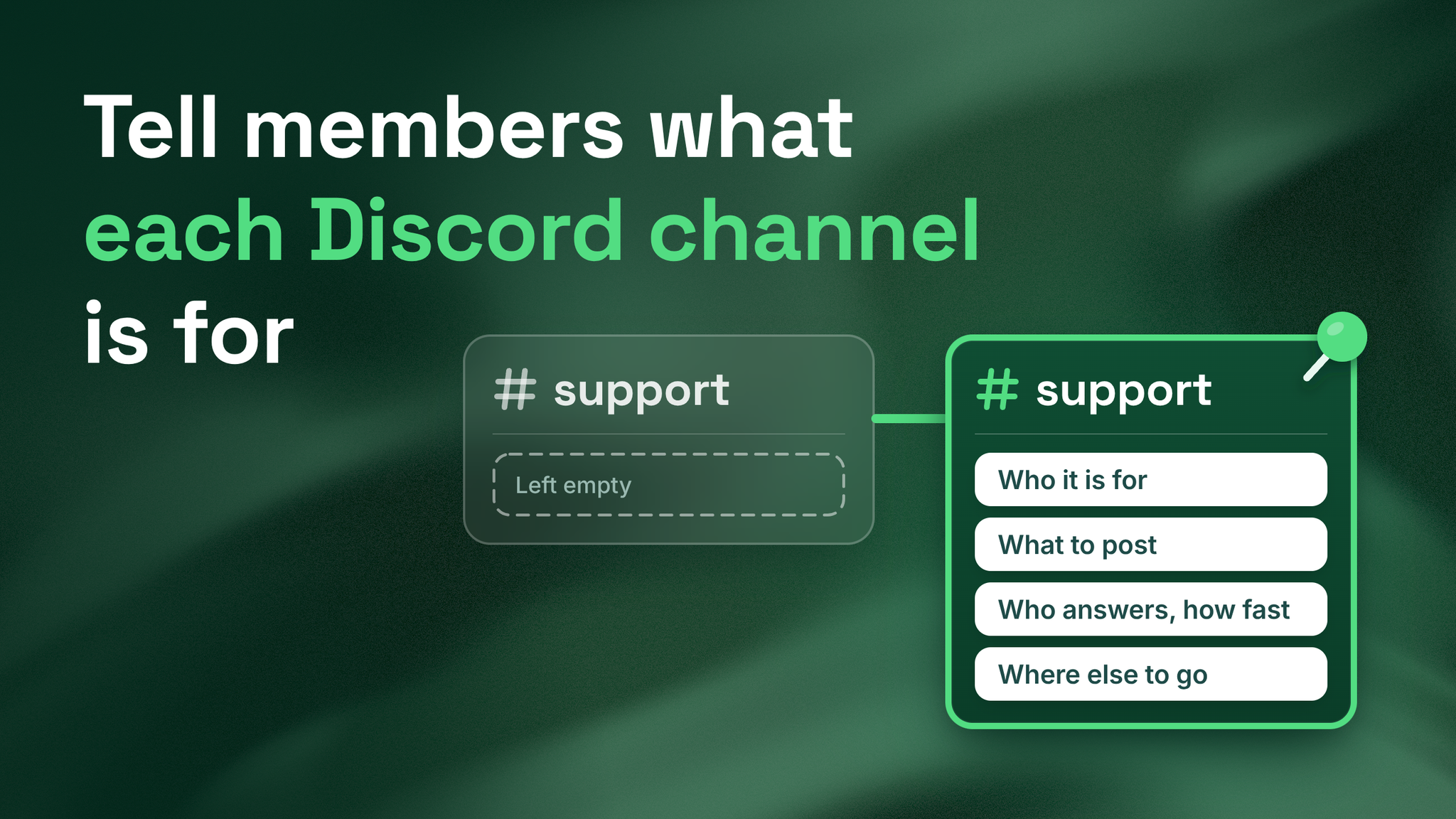
One channel, before and after
This is a support channel the way most servers leave it, followed by the same channel written properly.
BEFORE
#support
Topic:        (empty)
Pinned post:  (none)

AFTER
#support
Topic:        For members with a problem using the product. Post what
              happened and what you tried. The Support Team replies
              within one working day, Monday to Friday. Ideas go in
              #feedback, conversation goes in #general. Details in the
              pinned post.

Pinned post:
WHO THIS IS FOR
Anyone whose account, order or setup is not working.

WHAT TO POST
One message with what happened, what you tried, and a screenshot.
Example: "I reset my password twice and the reset email never arrives."

WHO ANSWERS, AND HOW FAST
The Support Team. First reply within one working day, Monday to Friday.
Posts made at the weekend are answered on Monday.

WRONG PLACE?
An idea for the product goes in #feedback.
Conversation with other members goes in #general.
The second version answers four questions before a member has to ask them. A channel is one room inside a Discord server, and the rule is the same for every one of them: four lines, written in two places. One place is the channel topic, which is Discord's name for the short description line that sits with the channel name. The other is a pinned first post. A pinned message, or pin, is one saved to a list that members can open from inside the channel at any time.
The role name and the window in the example are placeholders. Swap in your own, and only promise a window your team can keep.
The rule: four lines
| Line | What the member learns | How to write it | What goes wrong |
|---|---|---|---|
| 1. Who this channel is for | Whether they are in the right place | Describe the member by their situation: "For members whose account, order or setup is not working" | A label such as "For customers", which fits everyone and helps nobody decide |
| 2. What to post here, with one example | What a good post looks like | State the shape, then show one real-sounding post | An instruction with no example. Members copy examples more closely than they follow instructions |
| 3. Who answers and how fast | Whether to wait or to look elsewhere | A role name and a response window: "The Support Team replies within one working day, Monday to Friday" | A promise the team cannot staff, or no mention of who replies |
| 4. Where to go instead | Where the other two likely posts belong | Name the two things most often posted here by mistake and the channel for each | A list of every channel in the server, which nobody reads before posting |
Two of the lines need a note.
On line 3, a role is a named group of members, such as Support Team, and a response window is the time within which a member can expect a first reply. The window has to be one you can keep in your worst week. Where no one is assigned to a channel, write that down as it is: "Members answer each other here, and no reply is guaranteed." It is accurate, and it steers urgent problems to a channel that does have an owner. Choosing which channels get an owner and a window is a staffing decision that comes earlier. This step only records it.
On line 4, find the two mistakes by reading back through the channel and noting what your team redirected most. If that is hard to do from memory, ask the person who answers the channel most often.
I served as Head Discord Moderator for Google Developers, and these four lines are what I write for every channel before it opens.
What an empty channel costs
A channel with a name and nothing else leaves the member to guess what belongs there, who will answer and how long that takes. The cost of the guess falls on your team.
- The same question lands in three channels, because the member posts wherever it might fit and then tries again when nothing comes back.
- Staff spend their time redirecting. Each "please ask this in support" is a message that solves nothing.
- The member who guessed wrong feels told off, although nobody ever told them where the question went.
Where the lines go in Discord
- The channel topic. Discord's developer documentation, checked in October 2026, gives a 1,024 character limit for a channel topic. You should use a fraction of it. One or two sentences is what gets read. Finish with "Details in the pinned post" so members know a longer version exists.
- A pinned first post. This holds the four lines in full, with the example written out. Discord's help center (2026) says a channel can keep up to 250 pinned messages, and that pinning requires the Pin Messages permission. Make sure the person responsible for the wording has that permission, and keep the pin list short so this post is the first thing a member finds in it.
- Post guidelines and tags, in forum channels. A forum channel is a channel type in which every post becomes its own thread, a separate conversation. Discord's help center (2024) lists two features that do the same job there: post guidelines written by the server, and tags, the labels a member picks for a post, which can be made required on every post. The four lines go in the guidelines. A required tag makes each member sort their own post.
The topic is read by a member who is deciding whether to post. The pinned post is what your team links to when someone asks how the channel works.
Six channel types at a glance
The four lines are the same everywhere. What changes is the wording, and the one first action, meaning the single thing a member should do on a first visit.
- Support. Topic: For members with a problem using the product. Post what happened and what you tried. The Support Team replies within one working day. Ideas go in #feedback, conversation goes in #general. First action: read the pinned post, then post one message with a screenshot.
- Announcements. Topic: News from the team: releases, outages and schedule changes. Only the team posts here. Problems go in #support, reactions and questions go in #general. First action: read the most recent post.
- Feedback. Topic: For members with an idea or a complaint about the product. One idea per post, with the reason you want it. The Product Team reads every post each week. Bugs go in #support, questions go in #general. First action: check recent posts for your idea, then add your own.
- Events. Topic: For members who want to join live sessions. Each session is posted here with its date, time and how to join. The Events Team answers within one working day. Topic requests go in #feedback, product problems go in #support. First action: press Interested on the next event.
- Introductions. Topic: For new members. Post one message: who you are, what you are working on, and what you want help with. A Community Team member says hello within a day. Problems go in #support, conversation continues in #general. First action: post your introduction using the three prompts.
- General chat. Topic: For everyone, for open conversation. Members answer each other here and no reply is guaranteed. Problems that need an answer go in #support, ideas go in #feedback. First action: say hello, or reply to the latest message.
The first action for events uses a built-in feature. Discord's help center (2023) describes Scheduled Events in which a member presses "Interested" and is notified when the event starts.
Two more channels written out
Feedback and general chat are where support questions most often end up by mistake, so they are worth doing next. Change the names and the timings to match your server.
FEEDBACK

BEFORE
#feedback
Topic:        Share your feedback!
Pinned post:  (none)

AFTER
#feedback
Topic:        For members with an idea or a complaint about the product.
              One idea per post, with the reason you want it. The Product
              Team reads every post each week. Bugs go in #support,
              questions go in #general. Details in the pinned post.

Pinned post:
WHO THIS IS FOR
Any member who wants something in the product added, changed or removed.

WHAT TO POST
One idea per post. Say what you want and what it would let you do.
Example: "Let me export a report as a spreadsheet, so I can share it
with my finance team."

WHO ANSWERS, AND HOW FAST
The Product Team reads every post once a week. You get a reply when a
decision is made, and not every idea gets one.

WRONG PLACE?
Something is broken: post it in #support.
A question about how a feature works: ask in #general.
GENERAL CHAT
BEFORE
#general
Topic: General discussion.
Pinned post: (none)
AFTER
#general
Topic: For everyone, for open conversation about your work and the
product. Members answer each other here and no reply is
guaranteed. Problems that need an answer go in #support,
ideas go in #feedback. Details in the pinned post.
Pinned post:
WHO THIS IS FOR
Every member.
WHAT TO POST
Anything you would say to the people next to you: what you are working
on, something you found useful, a question for other members.
Example: "Has anyone here set this up for a team of five?"
WHO ANSWERS, AND HOW FAST
Other members. The team reads along and joins in, and no reply is
guaranteed here.
WRONG PLACE?
A problem that needs an answer from the team goes in #support.
An idea for the product goes in #feedback.Neither of these two channels promises a reply. Saying so is still a response window, and an accurate one. It also keeps the promise in the support channel believable, because members can see that your team only commits where it can deliver.
Wording rules
| Rule | Instead of | Write |
|---|---|---|
| Write from the member's side | We triage issues here | Post your problem here |
| Use the words members use | Authentication issues | Problems with your login |
| Use the present tense | We will aim to respond | The Support Team replies within one working day |
| Leave out internal team names | Tier 2 or CX Ops will pick this up | The role name members can see in the server |
For the second rule, read ten recent posts in the channel and borrow the vocabulary you find there. For the fourth, remember that a member has never seen your team's structure and has no way to look it up.
Test it on someone outside the team
The cold-read test is quick, and it needs one other person.
- Pick a colleague who does not work in support or community. Finance or engineering works well.
- Show them the topic line only. Hide the channel list and say nothing about what the channel is for.
- Ask what they would post there.
- Ask who would reply, and when.
Matching answers mean the line is done. A pause or a different answer means it is not. Resist explaining. Ask which word caused the doubt, and rewrite that word. Members read the line alone, so it has to work with nobody there to explain it.
Keeping the lines true
An out-of-date description is worse than a blank one. A member who is let down by one line stops believing the rest.
✅ One owner. A single named person is responsible for every topic and pinned post in the server.
✅ Restructure trigger. Every topic and pinned post is re-read whenever channels are restructured. Line 4 names other channels, so a rename or a merge breaks it quietly.
✅ Monthly trigger. Every topic and pinned post is re-read once a month.
✅ Staffing trigger. The response window changes on the day staffing changes, in both the topic and the pinned post.
What to expect afterwards
Redirects drop first. A member who can read where a post belongs usually puts it there, and when a redirect is still needed, staff can link the pinned post so the member learns the channel at the same time.
Repeats drop next. A stated window gives the member a reason to wait, so fewer of them post the same question in a second channel.
First replies get faster as well. Questions arrive in the channel your team already watches, and nobody has to go looking for them.
What this piece leaves out
Writing channel descriptions is channel-level documentation, and documentation is one layer among several. Beside it sit role and channel architecture, which settles which channels exist and who sees them, support routing, which settles how a question reaches someone able to answer it, and response time.
The four lines record those decisions. They cannot stand in for them. A channel where line 3 will not come out cleanly is a channel with no agreed owner or window, and it is better that you find it while writing than that a member finds it while waiting.
Four honest lines at the top of a channel answer the question a new member is too polite to ask out loud. More at danieljeong.org.
Want a properly managed community?
Get Your Free Analysis →