Rules for Employees in a Discord Community: The Five Part Staff Code
Staff who join a customer community with no onboarding of their own end up treating valuable members like survey respondents. A visible staff role, a separate way in and a one page code fix it.
What the rules should say
Treat staff like a member segment with its own onboarding. That is the answer. A company that welcomes customers with care and lets employees wander in unannounced has built half a community.
In most servers, any employee holding the invite link can join and post anywhere, with the company's name behind every word. No one briefs them, and members have no way to spot them.
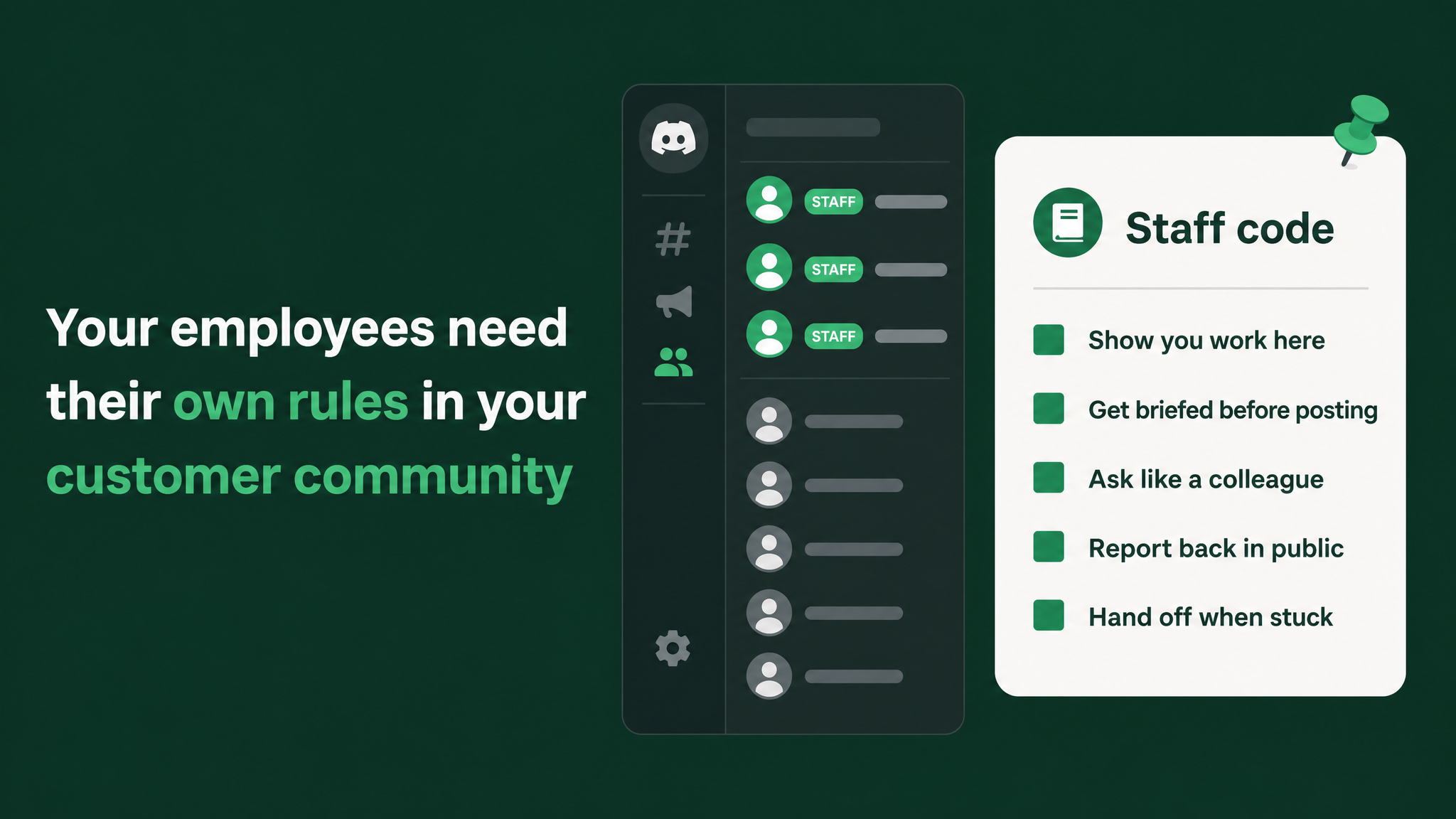
Five parts fix it, and together they fit on a single page named the Staff Code:
- Show you work here. A visible staff role and a profile that names the person's team.
- Come in through the staff door. A separate, verified entry path with a ten minute briefing.
- Ask like a colleague. A template for research requests, which go through the community team.
- Report back in public. A visible answer about what happened to every piece of feedback.
- Know the lines and hand off. Four things staff never do, and a route for the hard cases.
Every part below comes with a good example and a bad one. The full code, formatted as a pinned message, is near the end.
What goes wrong without them
Think about who your most valuable members are. They are the admins who run your product for big teams, the regulars who answer newcomers before your support team wakes up, and the people whose bug reports arrive with steps to reproduce. They came because they expected to get closer to the product team.
Then a staff member drops in with a survey link and a small reward. The poster sees efficient research. The long time member sees a company telling them their time is worth a voucher. Being asked to fill in a form tells a valuable member they are a data source.
Those members do not argue. They stop answering, and that silence shows up weeks later as a thinner community with no obvious cause.
Visibility makes it worse. When staff post under personal handles, members cannot separate an employee from a customer. Good answers from staff carry no weight, and offhand remarks get treated as commitments.
The internal etiquette page makes no difference. It sits in a wiki, no one signs it, and ignoring it costs nothing.
A rule that lives on the path in, with a role attached that can be removed, is the only kind staff reliably follow.
Part 1: Show you work here
Give every employee the Staff role, and make it obvious. Switch on Display role members separately from online members in the role settings, so staff sit in their own block of the member list. A distinct role colour marks their names in every thread, and a role icon adds to that if your server has unlocked it.
Then fix the profile, because the role alone says nothing about what the person can help with.
First name | Team, such as Sam | BillingHold back on permissions. The staff role is a name badge. It carries no moderation tools, no permission to mention everyone, and no access to member spaces staff were not invited into. The community team moderates, and every server rule binds staff the same way it binds members.
Sam | Billing, listed under Staff, writes: "Exports are my area, so I'll take this. Here's a workaround while we look into it."Part 2: Come in through the staff door
Employees skip the customer welcome entirely. It was written for someone else. Their path has a verification step and a briefing.
Verification. Use Discord's Server Onboarding, which lets you ask arrivals a question and assign a role from the answer. The question is Do you work at [company]?. A yes grants Staff pending, a role that can see one channel, #staff-start-here. Because anybody can click yes, someone on the community team confirms the person in the company directory and then swaps Staff pending for Staff. A bot that checks work email addresses can do the same job if you already have one.
The briefing. It lives in #staff-start-here beside the code and takes about ten minutes to read. It covers:
- Who the members are and why they joined
- What the company has promised them
- The never list
- Who on the community team takes a handoff
The new employee reacts to confirm they agree, and the full role follows. The reaction doubles as a signed record.
Employees already in the server need the same path. Set a date, tell everyone internally to re-enter through the staff door before it, and remove the old access when it arrives.
#staff-start-here, reacts, and starts posting under the staff role the next day, already knowing who to turn to when a thread turns difficult.Part 3: Ask like a colleague
Product teams feel this part most, and most of the harm happens here.
Research goes through the community team. Feedback requests, conversation requests, requests for beta testers and surveys all start in the community team's intake, either a short form or a staff only #research-requests channel. The community team knows who was asked recently, who is worn out by asks, and who would jump at this particular topic. They pick the members and the moment, then post the request or approve the one you drafted.
Every ask answers five questions. If a draft skips one, it goes back to the author.
- Who is asking? Name, team, and what they are building, never an anonymous "Hi all!"
- Why these members? What this group knows that the team does not.
- What exactly is the ask? One specific question, or a 20 minute conversation, never "fill in our survey".
- What do members get? A direct line to the team and credit when it ships.
- When will they hear back? A date for the follow up.
Here is one that passes:
I'm Sam, on the Billing team. We're rebuilding invoice exports. You run exports every month for large teams and we don't, so you know things we can't learn in-house.

Would you give me 20 minutes in the next two weeks to show me how you do it now? By the end of the month I'll post in this thread what we learned and what we're changing.

Reply below or react with a raised hand, and the community team will book a time.
Thanks should pull people toward the team: early access, or a working session with the engineers behind the feature. A payment for answers turns your most engaged members into a paid panel, which is the relationship they did not sign up for.
Part 4: Report back in public
Every ask ends with a public post in the original thread or channel, on or before the date promised. It covers what the team heard, what is changing, and what is staying the same and why. Members who helped are credited by name when they have agreed to it.
A "not now" still closes the loop, and members take it far better than silence because it proves someone read their input.
To keep this from slipping, the community team runs a tracker of open asks:
| Ask | Staff owner | Follow up due | Posted? |
|---|---|---|---|
| Invoice export workflow | Sam | Billing | End of month | Not yet |
They check it every week and nudge any owner who has passed the due date.
Good: "Thanks to everyone who showed us how you run exports. Because of you, exports now keep your column order and large ones arrive by email. Scheduled exports didn't make this release. We heard you, and we'll post here when that changes."
Bad: The research wraps up, the feature ships months later, and the release notes say nothing about the members who shaped it. The next ask gets fewer replies.
Part 5: Know the lines and hand off
No private messages to a member unless the member asked first. From a staff account, an unprompted message is indistinguishable from the impersonation scams members are warned about.
No ship dates and no feature promises. Say what you are working on, never when it lands.
No public arguments. Disagree once, politely, with a reason, and hand the thread over if the member pushes back.
No quoting members outside the server without their permission.
Staff are not meant to solve everything. They are meant to recognise when a thread belongs to someone else. The route is a staff only #staff-handoff channel: post the thread link with a line of context, step back, and expect a reply from the community team within one working day.
Hand off whenever one of these happens:
- An angry or upset member goes to the community team. Tag them in the thread and step away.
- A bug touching money, data or access goes to support through the normal ticket route, with the thread linked.
- Pricing, contract or account questions go to the account owner, routed through the community team.
- A thread becoming a pile on goes to the moderators via
#staff-handoff.
The enforcement ladder
Without a consequence, the code is just the old etiquette page with a new name. The consequence needs to be predictable, proportionate and private.
| When | What happens |
|---|---|
| First miss | A private note from the community team quoting the relevant line and what to do instead |
| Second miss of the same kind | A short conversation and a pointer back to the briefing |
| Repeated misses | The Staff role is removed, the person returns to Staff pending with sight of the start channel only, and the role comes back after they redo the briefing |
Bring in a manager only if the pattern keeps going. Most people who break the code simply never read it, and one note is usually enough.
Copy this into #staff-start-here
Pin it, and give out the full role only after the employee reacts to it.
Welcome to the team side of our customer community. Read this before you post anywhere. React below when you agree, and the full Staff role follows.

SHOW YOU WORK HERE
Nickname: First name | Team. About Me: one line on what you work on and what members can ask you.

ASK LIKE A COLLEAGUE
All feedback requests, user conversations, tester requests and surveys start in #research-requests. The community team chooses the members and the timing. Every ask says who you are, why these members, what you want, and when they will hear back.

REPORT BACK IN PUBLIC
Post the follow up in the same thread by the date you promised: what you heard, what changes, what does not and why. A "not now" counts.

NEVER
Message a member privately unless they asked first.
Give a ship date or promise a feature.
Argue past one polite disagreement.
Quote a member outside the server without asking.

HAND OFF
Angry member, serious bug, pricing or account question, or a pile on: drop the link in #staff-handoff and step back.

Server rules apply to staff the same as members. Repeated misses remove the Staff role until you redo the briefing.
The system around it
This code covers the staff layer of a bigger build: role and permission architecture plus escalation paths. The full version defines staff roles and member roles, decides who may post in which channels, maps which team handles which kind of problem, and applies moderation rules to staff and members alike. You can install the Staff Code on its own with what is written here. The other layers are separate pieces of work that a growing community will need written down sooner or later.
A customer community earns its value when the people who build the product show up as themselves, named and reachable, ready to talk about the work. Give them a clear way in and a short code, and your best members will keep talking to them. More at danieljeong.org.
Want a properly managed community?
Get Your Free Analysis →