One Discord Server or Multiple for Different Brands: Start With One and Split on Five Triggers
What breaks as you add brands and servers, the five conditions that justify a second server, and the ownership checklist every server needs before it opens.
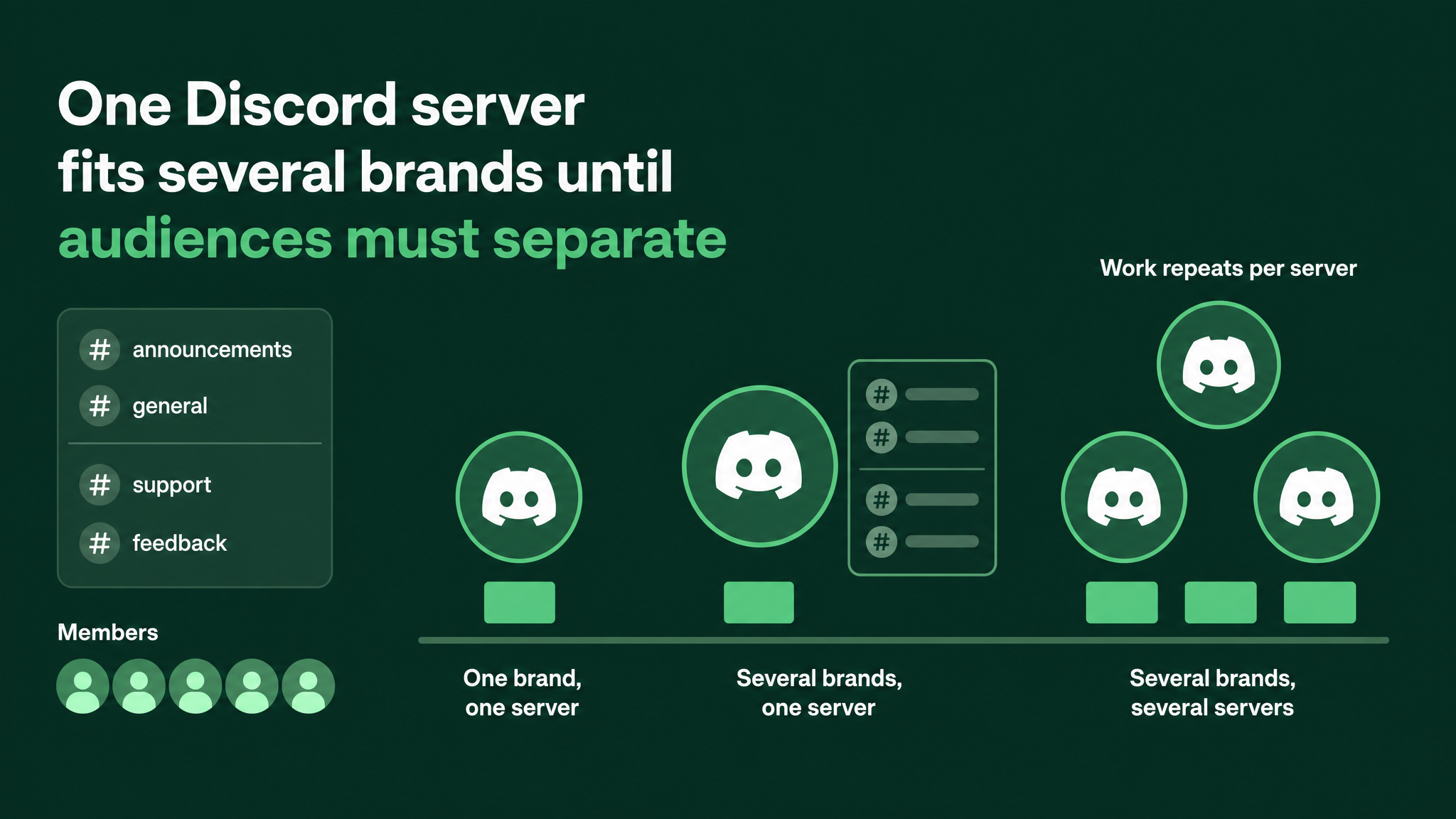
The choice most multi brand teams face early
A company with several brands tends to end up with more Discord servers than it can run. Leads come in through different funnels, each brand wants its own home, and a server gets created for each before anyone asks who will look after them. Meanwhile the people who would have to run those servers already have full weeks.
My default is one server for every brand. New members answer a question about which brand brought them in, the answer gives them a role, and the role decides what they see. A second server opens only when a written trigger is met.
Some terms, defined once:
Onboarding is the join flow Discord offers Community servers. New members answer questions as they arrive, and each answer can hand them roles and channels.
Role is a label on a member. It controls which channels they can see and which pings reach them.
Category is a folder in the channel list. Each brand gets one.
AutoMod is Discord's built in message filter, which blocks messages that match rules you set.
Stage one: a single brand in a single server
At this stage the risk sits with ownership, and the channels mostly take care of themselves.
A server tends to belong to whoever set it up, on their own personal account. Nobody has checked whether that account uses two factor authentication, the second login step that asks for a code from a phone. Admin rights have been handed out one direct message at a time, and there is no record of who holds them.
You do not see any of this while the server is quiet. You see it the day the person who created it leaves, or the day their account is taken over and a stranger now controls the server your paid traffic points at.
While the server is empty this takes minutes to fix. Once it is full it takes days. Complete the ownership checklist below before anyone joins, because every later server inherits the habits of the first.
Stage two: two or three brands sharing one server
Adding brands to a server built for one of them causes four specific failures.
- Wrong landing. A member who came through the second brand's funnel sees a sidebar written for the first brand, cannot tell whether they are in the right place, and goes.
- Wrong pings. A launch announcement for one brand notifies everyone. The other brands' members mute the server, and from then on they miss their own brand's news too.
- Guesswork moderation. No one has written down which rules govern which channels, so each moderator enforces a personal version.
- Blended numbers. Total joins are visible, but there is no way to see which brand's funnel produces members who stay.
Each failure has a structural fix, and the four fixes together make up the one server model.
Ask the brand question at the door. Add a required onboarding question that allows several answers, worded simply as Which of our brands are you here for? Each answer grants that brand's role. A member who later wants another brand reopens the server's Channels and Roles page and adds it, with no second join.
Give every brand a role. Name it after the brand, for example @Brand B, and let it grant visibility only. Staff permissions stay on separate staff roles, so a brand role can never make someone a moderator by accident.
Give every brand a category. Only that brand's role can see it. Inside, start with a news channel and a discussion channel, and add more only when members ask.
Keep the shared spaces open. Welcome, rules, general chat, introductions and the help desk stay visible to all. This is where a member of one brand first notices the others and starts following a second.
In practice the sidebar comes out like this:
WELCOME ........ everyone      #start-here  #rules
SHARED ......... everyone      #general  #introductions  #help-desk
BRAND A ........ @Brand A      #brand-a-news  #brand-a-chat
BRAND B ........ @Brand B      #brand-b-news  #brand-b-chat
STAFF .......... @Staff        #mod-log  #staff-room

Required onboarding question, several answers allowed:
"Which of our brands are you here for?"
  Brand A  grants @Brand A
  Brand B  grants @Brand B
Deciding what is shared and what stays per brand is where teams hesitate. My line runs as follows.
- Moderation. Shared: one roster and one rota for the whole server. Per brand: a brand lead allowed to manage messages in that brand's category only.
- AutoMod. Shared: one base rule set covering spam, scam links, outside invites and slurs. Per brand: keyword rules for that brand, applied to its channels by exempting every other channel.
- Bots. Shared: one moderation bot and one logging bot, set up once. Per brand: a content feed only where the brand genuinely needs one.
- Staff roles. Shared: a single staff role holding moderation permissions. Per brand: a brand lead role with no permissions outside its category.
- Announcements. Shared: a server wide notice only for things that affect every member. Per brand: a news channel that pings the brand role and never everyone.
- Reporting. Shared: total joins and how many new members come back after their first week. Per brand: the count of members holding each brand role, and activity inside each brand category.
The per brand reporting costs nothing to set up. Discord's role list already shows how many members hold each role, which is enough to compare funnels by the members they bring in.
The model runs out at one of the five triggers below, however many members the server holds.
Stage three: several brands spread across several servers
Once brands sit in separate servers, a new set of failures appears, and most are costs that one server had been absorbing quietly.
Every piece of fixed work is repeated per server. Moderators must cover each server's active hours. AutoMod rules live per server, so a scam pattern blocked in one keeps getting through in another until somebody copies the rule. Bots are added and configured server by server. Permissions are granted server by server, so each has an admin list to maintain. Onboarding is written and kept current in each.
Following a second brand now means joining a second server. The member has to find an invite, join, work through a new onboarding flow and accept a new set of rules, and some people drop out at every one of those points. In a single server the same move is one answer changed.
The security surface grows as well. Every server has an owner account and an admin list of its own, and a contractor removed from one server can quietly keep rights in another because nobody reviews both.
Activity also spreads thinner. People leave rooms that feel empty, and splitting one audience between servers divides the conversation that made the room feel occupied.
If a real trigger has put a company at this stage, the remedy is to run the servers through one operations layer:
Five triggers that justify a second server
Stay with one server unless at least one of these is true. Each trigger comes with the sign that it is real and the fix to use when it is not.
1. The audiences conflict or must not see each other.
The sign: one brand serves a group that would be put off or put at risk by seeing another brand's members or conversation. If that is not the case, a role and a category separate them well enough.
2. Compliance or moderation rules differ materially.
The sign: one brand is bound by rules about what staff or members may say, and the other brand's ordinary conversation would breach them. Otherwise, brand specific AutoMod rules scoped to that brand's channels handle it.
3. One brand's volume drowns the others.
The sign: the shared channels and the moderation queue are mostly about one brand, and members of the rest say they cannot find their own conversation. Otherwise, tighten the shared spaces and give the quieter brands a fixed weekly moment of attention.
4. A brand needs a different owner or team with its own admin rights.
The sign: another team or partner needs full admin control that you would never give them over the other brands. Otherwise, a brand lead role limited to that category is enough.
5. A brand is being sold or spun out.
The sign: the brand is leaving the company, and a server can only be handed to a new owner whole. Otherwise, it stays in the shared server.
With none of the five true, onboarding and roles do the routing. A brand's identity lives comfortably inside its own category and role.
The staffing test for any extra server
Write out the answers below with a named person on every line before a new server opens.
Moderation during active hours ......... name, plus cover when they are away
AutoMod upkeep and copying changes ..... name
Bots, and alerts when one stops ........ name
Announcements, and how often ........... name
Answers within your promised time ...... name
Admin list review, and on what date .... name
Add up the weekly hours those lines imply and compare the total with the free hours those people actually have. An empty name, or a total larger than the free time, means the server should stay closed. A team already stretched by one server will not find the time for two, and a server nobody runs teaches its first members that questions go unanswered.
Ownership and security, for every server
Do this before the first member joins, then once a quarter.
Moving a brand out later, cleanly
When a trigger fires, the brand can leave the shared server without shedding its members:
- Build the new server and complete the ownership checklist on it first. A Discord server template carries over channels and roles with their permission settings, though not messages or members, which makes rebuilding the brand's category quick.
- Post the move in the brand's news channel, pinging the brand role, with the date and a permanent invite.
- On the date, make the old category read only and pin the invite at the top of each channel. Keep it visible for a month.
- Take that brand's answer out of the onboarding question and put the new invite in the welcome channel for anyone still arriving.
- From the new server, follow the shared server's announcement channel so company news keeps reaching those members.
- When the month ends, archive the old category.
The wider system this belongs to
Choosing between one server and many is a single decision inside role and channel architecture across a brand portfolio. The other layers of that system are entry routing from each funnel, role architecture, moderation coverage, ownership and security, and reporting per brand. The server decision and the one server model are covered here in full, enough to set up unaided. The neighbouring layers are separate pieces of work, and the one most often missing is entry routing: every funnel points at the same invite, and nobody has walked through what a new arrival from each funnel actually sees.
Every server a company opens commits someone's week, whether or not anyone wrote that down. Settling the count on paper before the second server exists costs an afternoon, and settling it afterwards costs far more. More at danieljeong.org.
Want a properly managed community?
Get Your Free Analysis →