How to Set Up a Discord Server for a Hackathon: Six Steps Through the Day After It Ends
Run the hackathon inside your main Discord, give participants a role on the way in, and plan the close-out before kickoff so they stay once it ends.
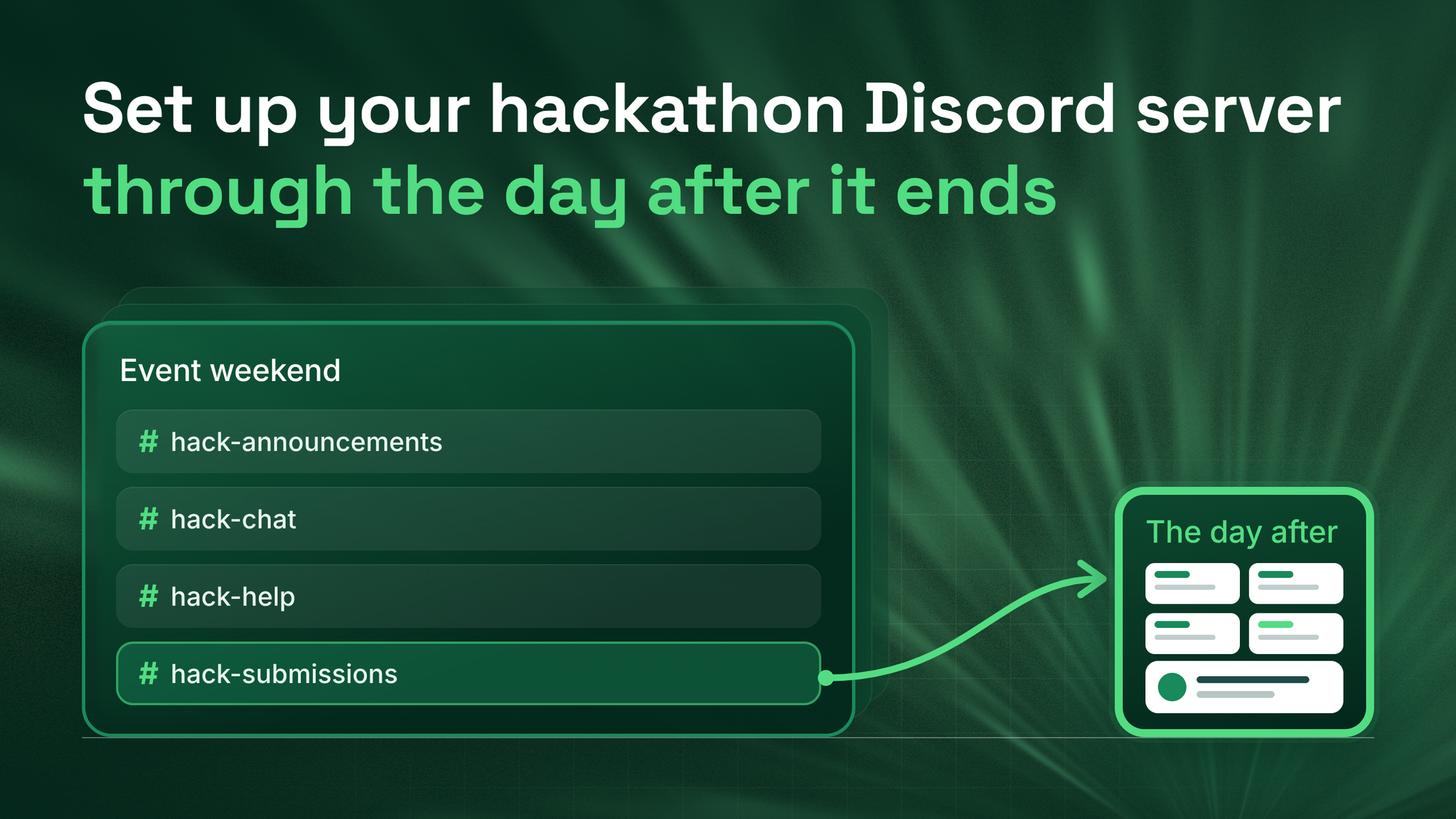
Start by writing the last message
Open a blank document and write the message your participants will read the day after the hackathon ends. It should say where their projects now live and give them one thing to do next. That is step one, and everything else in this setup is built so that message has somewhere to point.
The order matters because of what usually happens. Most hackathon servers are planned carefully right up to the winners announcement. Then the channels go quiet, the builders have nothing left to do, and the server they joined for one weekend stops being a reason to open Discord. The day after the event is when a participant decides whether they belong to your community or just attended something in it.
- Put the event in your main server, as one category
- Build four channels
- Let the invite link hand out the participant role
- Name a helper for every block of build hours
- Run the day from one announcements channel
- Close it out the day after, using the message you just wrote
The order holds for a small event and a large one, and each step below can be done by one person without outside help.
1. One category, inside the server you already have
A separate event server
Feels clean and keeps the event away from regular members. When it ends, every builder you hoped to keep is sitting in a server that is about to close, and moving them means asking each one to click another invite.
One category in your main server
Every builder is a member of your community from the moment they join. When the event ends there is nothing to migrate, because they are already where you want them.
Choose the category. A category in Discord is the folder heading in the channel list that groups several channels together. It also carries one set of permissions for everything inside it. Discord's Setting Up Permissions FAQ, last updated in 2022, says a synced channel's permissions completely match its category, and that changing the category updates every synced channel automatically. Keep all four event channels synced and the close-out in step 6 takes a couple of minutes.
One setting to check first: forums need Community switched on. That requirement is stated in Discord's Forum Channels FAQ (2024). If it is off, switch it on before you build.
I recommend letting every member see the event category and letting only participants post in it. Regular members get to watch real projects take shape, and builders keep a space that belongs to them.
2. Four channels, one job each
#hack-announcementsis a text channel only the event team can post in. Every time, deadline and change appears here first.#hack-chatis a text channel for participants to find teammates, share ideas and talk.#hack-helpis a forum. Each problem becomes its own post, so a question cannot scroll away before someone answers it.#hack-submissionsis a forum. Each project becomes its own post, in a fixed format.
The Forum Channels FAQ says a tag can be required before a member posts. Turn that on in both forums. Tag help posts by kind of problem, such as setup, API, access and other, so helpers can filter for what they know. Tag submissions by prize track, so each judge can open one track at a time.
The submission format to paste into the forum guidelinesProject name: Team members (mention each one): What it does, in two sentences: Which track you are entering: Link to the code: Link to a demo video or live version:The guidelines box is shown to members as they post, so the format sits in front of them at the moment it matters.
Add the kickoff and the demo session as scheduled events as well. Discord's Scheduled Events help article (2023) explains that members who mark themselves Interested get a notification when the event starts, which reaches people who have muted every channel in your server.
3. The invite link that gives out the role
The participant role is what unlocks posting in the event category, and nobody should be assigning it by hand while a hundred people join in the last hour before kickoff.
Setting it up:
#hack-announcements and choose Invite To ChannelThree facts from the same documentation change how you use the link:
| What the documentation says | What it means for your event |
|---|---|
| You need Create Instant Invite and Manage Roles, and can only give roles below your own highest role | Whoever makes the link needs the right permissions and a role that sits above the participant role |
| People already in your server also get the role when they accept | Post the same link in your main announcements so existing members can join the event in one click |
| Roles given through an invite stay after the invite expires or is deleted | The participant role becomes a lasting record of who built with you |
Test it before it goes public. Discord's View Server As Role guide (2025) says server owners and administrators can see the server exactly as a chosen role does. Check the participant view shows all four channels with posting allowed, and that an ordinary member can see the category without being able to post.
4. A named helper for every block of build hours
A help forum nobody is assigned to promises answers that never come. Split the build into blocks of about two hours, which I suggest as a starting point, and put one named helper and one backup against every block, including overnight.
Help rota for #hack-help

Block            Named helper     Backup
Kickoff to +2h   [name]           [name]
+2h to +4h       [name]           [name]
+4h to +6h       [name]           [name]
Overnight        [name]           check every morning at [time]
What every helper does
Replies to each new post in their block, even if only to say they are on it. Tags solved posts answered and closes them. Mentions the backup inside the post when they are stuck.
Why closing posts matters
The Forum Channels FAQ says a closed post leaves the list of new posts. The list your helpers watch then holds only the problems still waiting.
When everyone is responsible for the help forum, nobody is checking it at three in the morning. A name on the rota fixes that.
5. One channel runs the day
Everything participants need to know comes from #hack-announcements and from nowhere else. Write the announcements before the event, so nobody is drafting a deadline warning while also fixing an access problem.
For a remote event, use Discord's timestamp format in every one. Discord's developer reference documentation, as it reads in 2026, says these timestamps display in each reader's own time zone and locale. <t:1767225600:F> shows a builder in Berlin and a builder in Seoul the same moment in their own local time, and changing the F to an R shows a countdown instead. Any online Unix timestamp converter gives you the number.
Template
@Hackathon Participant

[What is happening, in one sentence]
When: <t:UNIXTIME:F> (<t:UNIXTIME:R>)
Where: [channel or scheduled event]
What you need to do: [one action]
Questions: post in #hack-help
The five to write in advance
- Kickoff
- Midpoint check in
- Final reminder before submissions close
- Submissions closed
- Winners
Mention the participant role in each one, never everyone in the server. Your regular members should not be woken for a deadline that is not theirs.
6. The day after: run what you wrote first
Here is where the message from the start of this piece goes out. The rest of the close-out is a short list, and each item should have a name and a time beside it before kickoff.
| Action | How | What it keeps |
|---|---|---|
| Turn submissions into a showcase | Move #hack-submissions into a permanent category and rename it, for example #built-at-spring-hack | Every project stays visible and linkable for the next event |
| Make event channels read-only | Turn off Send Messages for the participant role on the category | The record of the event, without new noise in it |
| Keep the role | Rename it with the event and date, such as Builder: Spring Hack | A list of everyone who built with you, ready to mention next time |
| Retire the invite | Delete it or let it expire | Nobody joins a finished event by accident |
| Send the day-after message | Mention the renamed role, within a day of the winners post | A reason to stay, while the event is still fresh |
The one day timing is a suggestion, not a rule. The message itself:
@Builder: Spring Hack

Thank you for building with us. Every project now lives in
#built-at-spring-hack, and it stays there.

One next step: [pick one]
- Keep building in #[your regular builders channel]
- Mark yourself Interested in the next event: [scheduled event link]
- Share what you built in #[your showcase or share channel]
Pick a single next step before you send it. One clear action the day after tends to get taken, and a list of options tends to get skipped.
The larger job this is part of
A hackathon is one event inside a longer member lifecycle. Around it sit the first 48 hours a new member spends in your server, the weekly rhythm that gives builders a reason to return between events, re-engagement for the people who drift, and reporting that tells leadership how many participants stayed. This setup handles the event from start to finish, and the close-out hands the builders on to those other layers. Each of them needs building too, or the builders you kept on day one will have nothing to come back for in week three.
For now, the job is the document you opened at the start. Finish that message before the invite link goes to a single person.
The builders who join for a weekend are the easiest members you will ever recruit and the easiest to lose. Writing their next step before they arrive is what keeps them. danieljeong.org
Want a properly managed community?
Get Your Free Analysis →