How to Handle Self-Promotion in a Discord Community: One Channel, One Format, One Redirect
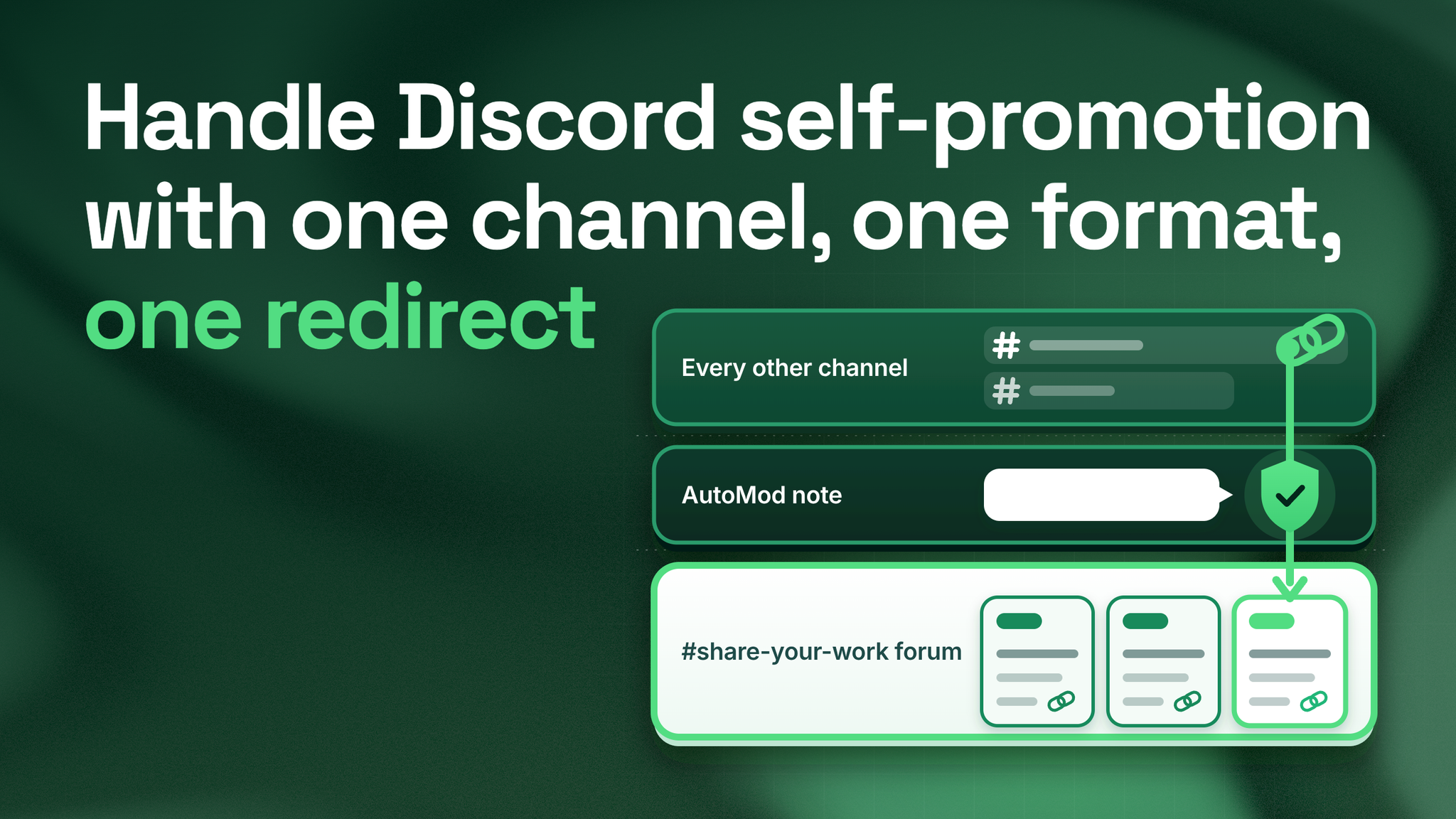
Give member links one forum channel, a three line format and a weekly limit, then let AutoMod point every stray link back to that channel.
The answer first
In five years of running Discord communities, the member who posts a link to their own work has rarely been a spammer. More often it has been a creator who makes videos, writes a newsletter or sells a small product, and who has been told by every other platform to share it. Wanting to share is fine. What is missing is any instruction from the server on where to do it.
So the fix is a destination plus a redirect:
- A destination. One forum channel called
#share-your-work, with required tags, a three line post format, and a limit of one post per member per week. - A redirect. One AutoMod rule that blocks self-promotion links in every other channel and shows the member, privately, a note that names the destination.
- A fallback. One reply, worded the same for every moderator, for the self-promotion the filter cannot see.
The sections below compare the server before and after each of those pieces, so the change is easy to copy.
Before the change
Servers that ban it
Links move into replies, framed as helpful answers. Moderators judge each one by hand and judge them differently. Members whose links come down see similar links stay up. The people who make things learn their work is unwelcome and take it somewhere else.
Servers that allow it anywhere
Links appear under announcements, in the help channel and in general chat. Conversation scrolls away beneath them. People posting links rarely open anyone else's, so most posts sit unanswered, and creators decide nobody here cares.
Both versions share one flaw: the member holding a link has no instruction other than "no" or "anything goes." Every link becomes either a judgment for a moderator to make or noise for everyone else.
After the change
What that changes for each person involved:
- The creator knows where to post, what to write, and how often, before they ever break a rule.
- Other members get their conversation channels back, and know where to go when they want to find what people are making.
- Moderators stop judging links one at a time and send one standard reply for the rare case the filter misses.
- The program team gets a tagged, dated record of member work every week.
Building the destination
Use a forum channel rather than a text channel. In a forum, each post opens its own thread, so replies stay attached to the post instead of scrolling away under newer messages. Discord's threads documentation for developers, as it reads in 2026, treats forum posts as threads, which matters again when you set up the filter.
Settings to choose, per Discord's Forum Channels FAQ from 2024:
☑️ Tags required before posting. The FAQ says a tag "can also be a requirement before a member of your server makes a post." Keep the set short and named after what members make: video, writing, tool, event, feedback wanted.
☑️ Guidelines filled in. The forum's guidelines box is shown to members as they post, so the format and the weekly rule go there.
☑️ Layout chosen. The FAQ describes List View as suited to text and Gallery View as suited to media. Visual work suits Gallery.
☑️ A first example posted. Write the first post yourself in the exact format, so nobody has to guess.
The guidelines text to paste:
Share your work here. One post per week.

Line 1: What it is (a video, an article, a tool, an event)
Line 2: Who it is for, in plain words
Line 3: One link

Pick a tag before you post. Reply to at least one other post this week.
Why each line of the format is there
The "what it is" line lets a reader sort the post at a glance. The "who it is for" line earns the most: it makes the creator describe a reader, and it lets everyone else decide in a second whether to open the post. The single link keeps the post from becoming a list of everything the creator has ever made. Asking each poster to reply to someone else is a house rule from my own practice, not a Discord feature, and it is what stops the forum turning into a row of adverts nobody reads.
Setting the weekly limit
Once a week per member is my own working default, not a published rule. It is generous for anyone actively making things, and tight enough to keep the forum worth scrolling.
Expect to enforce it by hand. Discord's Slowmode FAQ, updated in 2025, describes slowmode as a cooldown between each user's messages and lists six hours as the longest option. A week is out of its reach. The check is still quick, because every post sits in one forum with a name and a date beside it:
- Once a week, one moderator scrolls the forum for anyone who posted twice.
- A first repeat gets a private reminder of the rule.
- A second repeat gets the extra post removed, with the same reminder.
Building the redirect
AutoMod is the message filter built into Discord. Discord's AutoMod FAQ, updated in 2026, confirms what this needs: custom keyword rules can detect links, a flagged message can be blocked, and the member then sees a message "only visible to them" that you can write yourself in up to 150 characters. The FAQ also caps each rule at 1,000 keywords of up to 60 characters, and allows a * wildcard so one keyword covers its variations.
| Setting | What to enter | Why |
|---|---|---|
| Rule type | Custom keyword | The only rule type that lets you list the sites |
| Keywords | *discord.gg*, *youtube.com*, *youtu.be*, *twitch.tv*, *patreon.com*, *gumroad.com*, *substack.com*, plus the sites your members use | Catches the places self-promotion usually links to |
| Response | Block message, with a custom note | The member is redirected instead of reprimanded |
| Note | Links to your own work go in #share-your-work, one post a week. The three line format is pinned there. | Names the destination, inside the 150 character cap |
| Alert | A private moderator channel | Keeps a record of every blocked link |
| Exemptions | #share-your-work, #resources, the Moderator role | Lets links through where they belong |
AutoMod reads text, so it cannot tell a member's own video from a tutorial they shared to help someone. Handle that with two habits rather than a cleverer list:
- Start the rule on alert only for a few days. Read what it would have blocked, cut keywords that catch helpful links, and add sites you missed. Then switch blocking on.
- Exempt the channels where useful links are the point, such as a resources channel or a help channel where answers often link to guides.
The person whose link is stopped sees a polite pointer. Nobody else sees a removal, and nobody on the team had to type a word.
The fallback reply
Some promotion slips past any filter: a message saying "DM me for my course," a screenshot of a product, a link through a shortener you never listed. For those, every moderator sends the same words.
Thanks for sharing this. Posts about your own work live in
#share-your-work, so the people looking for it can find it.
Please repost it there using the three line format pinned at the top.
The wording matters less than the sameness. A message that is identical from every moderator cannot read as a personal grudge, and a moderator who joined yesterday can send it with full confidence.
The switch, day by day
| Day | Task |
|---|---|
| 1 | Create the forum, tags and guidelines, and post your own example |
| 2 | Announce the change without pinging everyone: where links go, the format, the weekly rule, the filter start date |
| 3 to 5 | Run the AutoMod rule on alerts only and adjust the keyword list |
| 6 | Turn blocking on and test from a normal member account |
| 7 | Reply to the week's forum posts yourself |
The reply on day 7 is small and it carries weight. A creator whose first post gets an answer from the team tends to come back with the next one.
Why a creator program gains the most
For a team that runs creator, partner or ambassador programs, the after picture is a pipeline as much as a tidy server. Every week the forum holds a tagged, dated list of who made what, and which posts other members bothered to reply to. Shortlists for features, collaborations and ambassador invitations can come straight from that list, built on members' actual work instead of on who is loudest in general chat.
Close the loop once a week. Choose one post that drew real replies and, with the creator's permission, feature it in announcements. Members learn the team reads the forum, and creators gain a reason to keep posting there instead of anywhere else.
The system this is part of
Self-promotion is one stream inside content routing, which is the set of decisions about which kind of message goes in which channel and what happens when one lands somewhere else. The same system handles support questions posted in general chat, feedback dropped under announcements, and side conversations that bury help requests. Content routing sits beside channel architecture, moderation rules and onboarding, and every stream in it needs what this one got: a home, a format and a redirect.
Start with the note. In under 150 characters, write what a member sees when their link is blocked, and make sure it names the channel where the link belongs.
Members who make things will share them somewhere. The servers that keep those members are the ones that tell them where, kindly and the same way every time. danieljeong.org
Want a properly managed community?
Get Your Free Analysis →