How to Communicate an Outage in Discord: Five Steps, With the Next Update Time on Every Post
A staff-only status channel, one person writing updates, a first post ready in advance, a promised time on every update, and a proper close. Members stop asking when they know when to look.
What to put in place
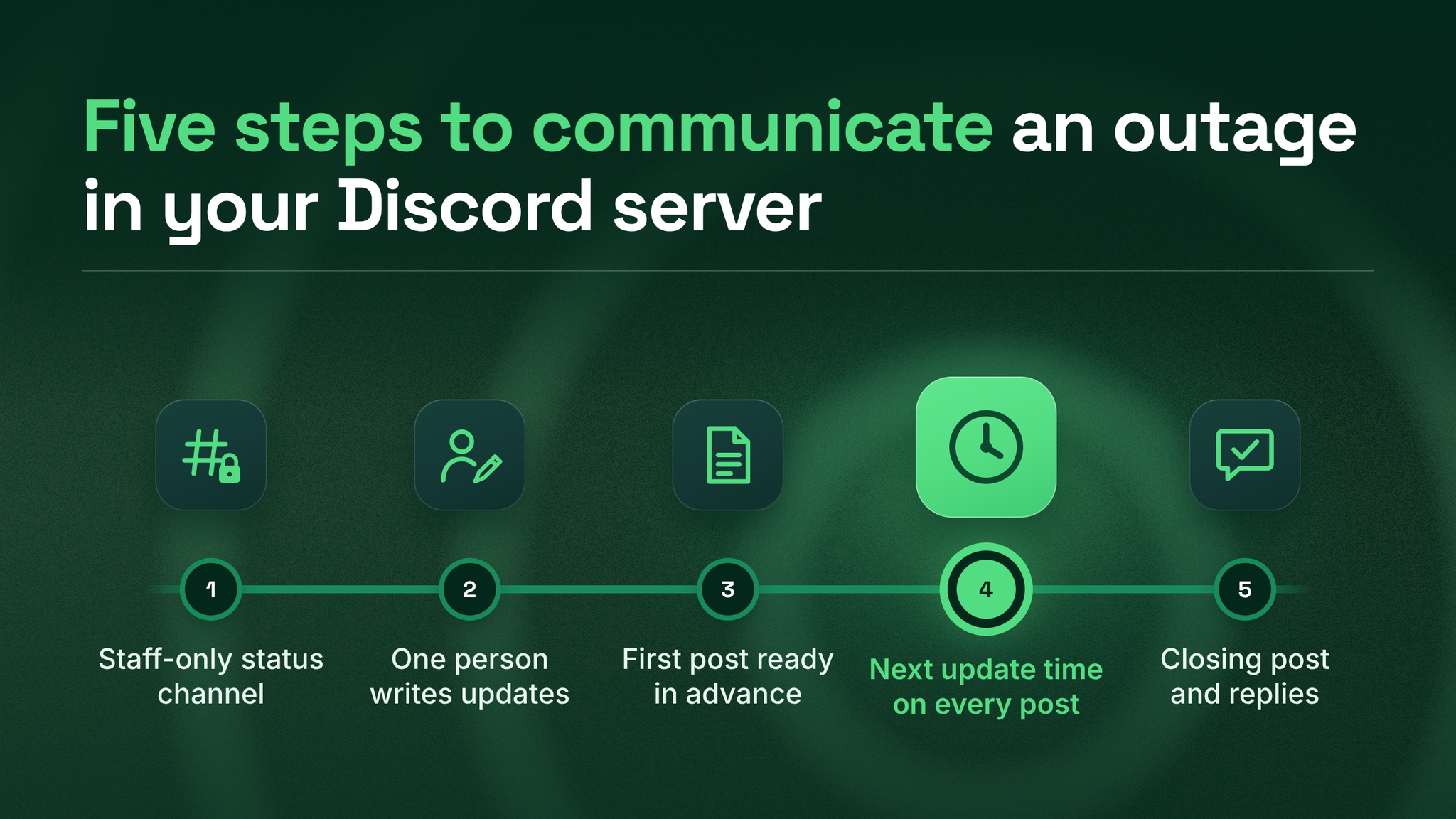
To communicate an outage in a Discord server, prepare five pieces before anything goes wrong. Lock one channel so only staff can post in it. Give one person the job of writing every update. Keep an opening post ready as a template. Finish every update with the time the next one will appear, and keep that promise. When it is over, post a summary and answer everyone who asked a question.
Members pile into a server during an outage for one reason above the rest. They do not know when they will next hear anything. "We are investigating" leaves that question open, so they ask, and the next person who arrives asks too. "Next update at 3:00 PM" closes it. Most of the noise in an outage is that single missing detail, repeated by hundreds of people.
Over five years running more than 155 communities, including managing BlueWillow's Discord as it went from about 1,000 to 1.7 million members, I have seen the same thing again and again. The size of the moderation team does not decide how an outage feels. The decisions made in advance do.
Piece one: a locked status channel
Make a text channel that exists only for service problems. Give it a name nobody has to decode, like #product-status. Only staff can send messages there. Each outage starts with a single post, and a thread opens under that post for member questions and reports.
The thread keeps the channel itself readable. Anyone who opens it sees a clean run of official updates, newest at the bottom, without wading through replies.
Three settings worth adding to the status channel
Announcement channel. On servers with Community features enabled, Discord lets other servers follow an announcement channel and receive its published posts, according to its Announcement Channel FAQ (checked October 2026). Partner servers can carry your status updates automatically. The FAQ also lists a cap of 10 publishes per hour, which an hourly update rhythm never comes close to.
A role members choose. Make a
Status alertsrole that members add for themselves. Ping it at the start and at the end of an outage, and not in between. Pinging the whole server every time teaches people to mute it.A pinned guide. Three sentences at the top: what the channel is for, where to ask during an outage, and where to open a ticket for a problem with a single account.
Then point people to it. Add a line to the descriptions of #general and your support channel that names the status channel. Confused members start where they always start, so that is where the signpost needs to be.
Piece two: one person who writes, and only writes
The engineers who can fix the problem are the worst people to ask for updates while they fix it. The harder the problem gets, the longer they go quiet, and the longer the server waits.
This division of labour is not new. In the managing incidents chapter of Google's Site Reliability Engineering (O'Reilly, 2017), the people changing the system are kept separate from a communication role that acts as "the public face of the incident response task force" and sends out periodic updates. A Discord community can copy that with three names on a page.
| Role | What they do during an outage |
|---|---|
| Update writer | Writes and posts every update, translates technical news into plain words, keeps the clock |
| Backup writer | Steps in when the writer is asleep, travelling or unreachable |
| Engineering contact | The one technical person the writer asks, so the fixers are not interrupted by several people |
Pick people for steadiness, not technical depth. Support and community staff are often the right choice, because they already know the words members use and what members worry about when things break.
Piece three: an opening post you fill in rather than write
The first post goes out when you know the least, which is why you should write it now. On the day, the writer only fills in the gaps.
Four lines are enough:
- What is broken, described the way members would describe it.
- Who is affected, even if the honest answer is "we are still checking".
- What to do right now, such as a workaround, a reassurance about their data, or a request not to retry something.
- When the next update arrives, written as a Discord timestamp.
Discord's developer documentation (checked October 2026) describes timestamps written as <t:UNIX_TIME:t>, which show in each reader's own time zone and locale, and a relative style, <t:UNIX_TIME:R>, that reads like "in 30 minutes". For a community spread across the world, a time typed as plain text is wrong for most readers. A timestamp is right for every one of them.
Send the opening post as soon as the team confirms a real problem, without waiting for a cause. Atlassian's incident communication guide (2026) singles out the first update as the most important. Keep two or three ready-made versions for the failures you are most likely to see, such as sign-in, payments and a full outage, somewhere private the writer can reach in seconds.
Piece four: a promised time on every update
This rule does most of the work. Every update closes with when the next one will appear, and then the next one appears at that time, whether or not there is news.
Members who know when to look back stop asking in the meantime. Members who see that promise kept learn that the status channel is reliable, and next time they check it before they ask.
"Still working on it. Nothing new yet. Next update at 4:00 PM." That is a complete update, and it is often the most useful one you will post all day.
Atlassian's guide advises never letting more than an hour pass without an update while customers are affected, and always stating when the next one is coming. My own starting rhythm, which you should tune to your product, is every 30 minutes during the first hour and then hourly at most. Once a fix is out, I post one "fixed, watching it" update and then the closing post.
Two habits keep the wider server calm while the clock runs:
- Slow down your busiest channel. Discord's Slowmode FAQ (checked October 2026) describes a single "Bypass Slowmode" permission, so staff can keep posting normally while members are slowed.
- When a member asks a question the status channel already answers, moderators reply with a link to the latest update rather than retelling it. One source avoids stale details spreading.
When you miss your own deadline
It will happen. The writer gets pulled into a meeting, or the engineering contact goes quiet, and the promised time passes. Post anyway, as soon as you notice, and say plainly that the update is late. Then give a new time and keep it. A late update that admits it is late repairs most of the damage. Skipping it and posting an hour later as if nothing happened teaches members that the times you give mean nothing, and the questions come back.
What to leave out of updates
Some things make an outage update worse, even when they are true:
- Guesses about the cause. If you name a cause and it turns out wrong, the correction becomes its own story. Say "we are still finding the cause" until you know.
- Promises about the fix time. Promise when the next update will arrive, not when the problem will be solved. The first is in your control. The second rarely is.
- Internal names. Members do not know what your service or team names mean. Describe what they see, such as "you cannot sign in" or "payments are failing".
Piece five: a real ending
When the fix holds, post the closing update in the same thread and ping the alert role once more. Say what happened, what was fixed, and what you are changing to make a repeat less likely, in a few plain sentences.
Resolved: [feature] is working again as of <t:UNIX_TIME:t>.
What happened: [one or two plain sentences].
What we fixed: [one sentence].
What changes now: [one sentence about prevention].
Still seeing a problem? Reply in this thread or open a ticket.
Then work through the backlog. Read every question asked during the outage, in the thread, in #general and in tickets, and make sure each person received an actual answer. The member whose question about a payment went unanswered will remember that long after the outage itself is forgotten.
Last, sit down with the writer for 15 minutes the same day and note what got in their way. Fix the template or the contact list while the memory is fresh.
The layer this belongs to
This plan is one part of a community's support and escalation system. The same system decides how ordinary questions reach the right person, how a member's bug report finds its way to an engineer, how moderators cope with sudden surges, and how the community reports back to the business when something goes wrong.
Outages put the whole system under pressure at once, so they show you where it is weakest. This piece is the cheapest place to start. It needs no new tools, only decisions written down before you need them.
Members judge a community by how it behaves on its worst day. Decide how yours will sound while the day is still a good one. danieljeong.org
Want a properly managed community?
Get Your Free Analysis →