How to Audit Discord Onboarding: Join Your Own Server as a Stranger Every Week
A 20 minute weekly walk from a brand new account, a screenshot of every screen, five questions a stranger asks of each one, and a gap log that gets the easy fixes done the same day.
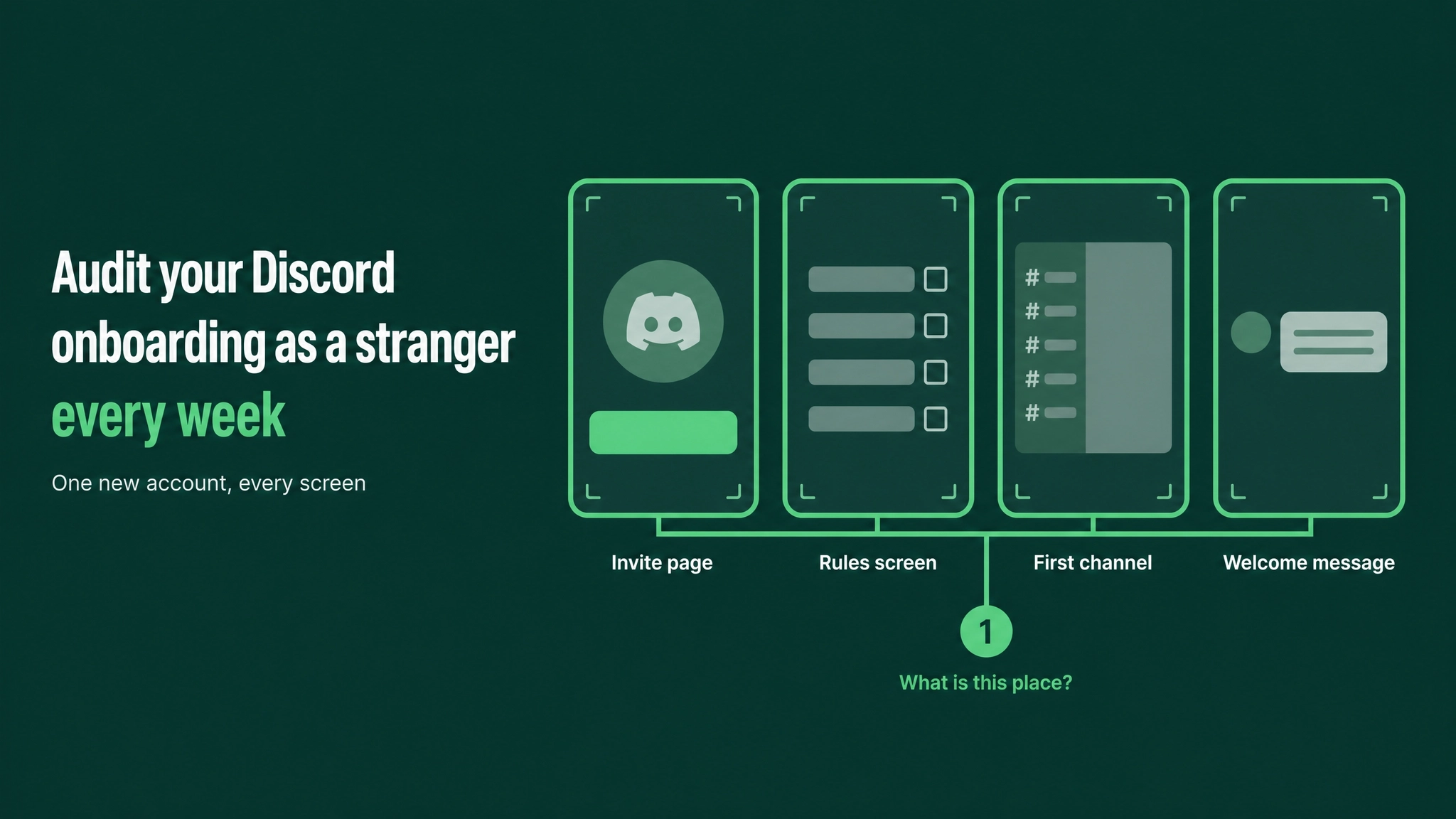
First, make the account
Before reading on, create a new Discord account in a private window, using an email address that has never touched your server. Give it a plain name and leave the avatar empty. You will use it in a few minutes to join your own server as a stranger would.
The routine runs like this. Each week you join from that new account and screenshot every screen and click, starting at the invite and stopping at the first reply you get. Every screenshot gets checked against five questions a stranger asks. Any question left unanswered becomes a row in a gap log, with a named owner and a fix-by date. Quick fixes happen the same day. The whole walk repeats weekly and again after any change to the server.
After the second or third run it settles at around 20 minutes. The first run always takes longer, because it finds the most.
Why your own view is the wrong one
Building a server teaches you its layout. You know which channel newcomers should open, which role marks the moderators, and where people actually talk. You cannot unlearn that, so every time you look at the server your memory completes it for you.
A newcomer brings no such memory. They get channel names, a block of rules and perhaps a bot message. When nothing explains the point of the place, very few ask. Most simply leave.
The admin tools do not close this gap. The Preview button in the onboarding setup and the option to view the server as a role both help with permissions. Neither shows the invite page, the verification wait, what a bot DMs to a new account, or the silence after an unanswered first message. A genuine join from a genuine new account is the only view that includes all of that.
The eight steps
Each step follows the same rhythm: something to do, something to capture, and something to ask.
1. Prepare the stranger's account
- Do: use the fresh account from the top of this piece. If your verification level asks for a verified email or phone, complete it the way any newcomer must.
- Capture: create a folder for this week, and number the screenshots in sequence, such as
W40_01_invite.pngthenW40_02_rules.png, so the order survives when you share them. - Ask: who is this stranger? Write one line. A developer arriving from a tutorial, or a customer who followed a link from a receipt.
Skip the old alt account. If it has been in the server before, a bot may hand its roles back on rejoin, it has dismissed the tips and seen the onboarding, and it may hold old DMs. Each of those hides something a real newcomer runs into. Swap between phone and desktop each week, since plenty of people join on a phone and the screens look different there.
2. Walk the path and screenshot it
- Do: open the invite link your members really use, from where they really find it, and click through as a newcomer. Skip nothing, even the screens you know by heart.
- Capture: one screenshot per screen and one per click, covering at least the list below.
- Ask: at each screen, jot the first thought a stranger would have. "Where am I supposed to click?" counts as a finding.Invite page: do the name and icon say what this server is?Rules or verification screening: length, tone, and whether agreeing feels like a barrierOnboarding questions: do they make sense to someone new to the product?Channels & Roles, with its Customize and Browse Channels views: are the choices described in plain words?The first channel shown: does it state the community's purpose on the first screen?The welcome message: does it give one first action and name the team?The full channel list: how many channels, and do the names mean anything to a newcomer?Direct messages received: who sent what, and does anything look like a scam?The first reply: post a simple question and record who answers and how long it took
The final item carries more weight than it seems. Post an honest newcomer question from the audit account and wait. Screenshot the answer with its timestamp. No answer by the end of the day is the most important entry in the log.
3. Grade every screen against five questions
- Do: put the screenshots in order, one row each, and write these five across the top.
- Capture: for every screen, mark each question answered, missing, or not relevant.
- Ask: does the walk pass? It passes when questions 1 and 3 are answered by the time the stranger reaches the first channel, and all five are answered somewhere on the path by the end.
Question 1: What is this place? Question 2: Who runs it? Question 3: What do I do first? Question 4: Is anyone like me getting value here? Question 5: Where do I get help?
No screen has to answer all five. An invite page has no reason to explain where help lives.
Question 4 is the one most teams miss. A stranger wants evidence that people like them get something here, and it has to be visible on the path itself. A channel of member wins qualifies, and so does a pinned thread of real answers. A welcome line describing the community as amazing does not.
Question 2 fails without anyone noticing. In most servers a newcomer has no way to spot the team. Without a visible staff role or names in the welcome message, they cannot tell an official answer from an opinion, or a real staff DM from an impersonator.
4. Fill in the gap log
- Do: turn every missing mark into one row. Keep the log in one shared place with fixed columns, so this week compares cleanly with last week.
- Capture: attach the screenshot showing the gap. A row with a picture gets fixed. A row reading "welcome unclear" gets debated.
- Ask: is the fix a specific change? "Make the welcome better" is a wish. "Add one sentence naming the channel to post in first" is a fix.
The format, with the columns in this order, looks like this:
Screen          | Question failed                     | Fix                                                     | Owner            | Fix-by date
First channel   | 1. What is this place?              | Two plain sentences on who it is for and what happens   | Community lead   | Today
Welcome message | 2. Who runs it?                     | Name the team, link their role, one line each on duties | Community lead   | Today
Channel list    | 3. What do I do first?              | Hide six advanced channels behind an onboarding answer  | Moderation lead  | Friday
Full walk       | 4. Is anyone like me getting value? | Open a wins channel, seed it with real posts (with OK)  | Community lead   | Next walk
5. Sort into today and later
- Do: apply one rule to every row. Under 15 minutes and no approval needed means it gets done today. Anything else gets a named owner and a real date.
- Capture: mark each row done or scheduled, and place the fixed screenshot beside the original.
- Ask: is anything scheduled that could honestly be done today?
Today items are usually edits. A channel description, a pin, a sentence in the welcome message, a channel rename, a permission toggle, or a bot message with the wrong wording. Later items need building or agreement, such as a new channel structure, a new bot flow, or copy another team has to write. Small fixes left for weeks cost the most, because every new member meets them until somebody acts.
6. Borrow someone else's eyes
- Do: show the numbered screenshots to a teammate who had nothing to do with the setup, ideally someone in sales or support. Ask them to narrate what each screen means and what they would click next. Stay silent while they talk and note every hesitation.
- Capture: add their new findings to the log, tagged with who spotted them.
- Ask: what did they see that you did not? Those misses map your blind spots, so check them first next week.
With no teammate available, use an AI tool. Upload the screenshots in order and ask it to play a stranger who has never heard of the community. For each image it should say what it thinks the place is, who runs it, what it would do first, whether it sees people like itself getting value, and where it would go for help. Then have it list every point where it felt stuck or unsure a message was genuine, bluntly and without proposing fixes yet.
7. Re-walk after each fix
- Do: after shipping a fix, walk that stretch again from a fresh join. Leave and rejoin with the audit account, or create another account if a bot restores roles.
- Capture: the after screenshot, in the same log row as the before.
- Ask: does the screen now answer the question it failed, and does everything after it still pass?
Fixes have side effects. A new onboarding question can hide the channel the welcome message points to. A renamed channel breaks every old link. A tighter permission can block the one channel where newcomers are meant to post.
8. Lock in the cadence
- Do: book a recurring 20 minute slot at the same time every week. Add an extra walk after any server change: a new channel, a role edit, a bot added or updated, a permission change, an edited onboarding question, or a Discord update that alters the join screens.
- Capture: keep every week's folder. After a few months they show how the front door changed and which fixes lasted.
- Ask: did any question fail two weeks in a row? A repeat means the fix did not work, so it goes to the top of next week's log.
Rotate the walker each month. Every person brings a different blind spot, and a moderator who has walked the join path helps newcomers better.
The four gaps almost every first walk turns up
| Gap | What the stranger experiences |
|---|---|
| The first channel never says what the community is for | Rules or a list of bot commands, and a purpose they have to guess |
| Newcomers cannot tell who the team is | Staff look like everyone else, so official answers and fake staff accounts are indistinguishable |
| Nobody says what to do first | A long channel list and no single first action, so they read briefly and leave |
| No visible proof that other members get value | Wins and answered questions exist in the history, but nothing on the path shows them |
Each of these takes an afternoon to fix once someone has actually seen it.
The bigger system around the walk
This routine audits one layer of the system that decides whether new members stay: onboarding and the first 48 hours. That system spans the entry flow, role routing that points each newcomer at the channels that suit them, the welcome sequence, the first human reply, follow-up during week one, and the measurement that shows whether people stick. The walk tells you which of those is failing this week. Building each one is separate work, and a walk that keeps surfacing the same gap is usually telling you a layer was never built at all.
Every server feels complete from the inside. Seeing it the way a newcomer does means arriving as one, on a schedule, for as long as the server keeps changing. More at danieljeong.org.
Want a properly managed community?
Get Your Free Analysis →