How to Approve Changes to a Discord Server: One Written Sentence and Two Ticks Before Anything Is Built
A five field change card, two questions to ask in order, and the proof to collect afterwards, so a live server gets changed once and members see one update.
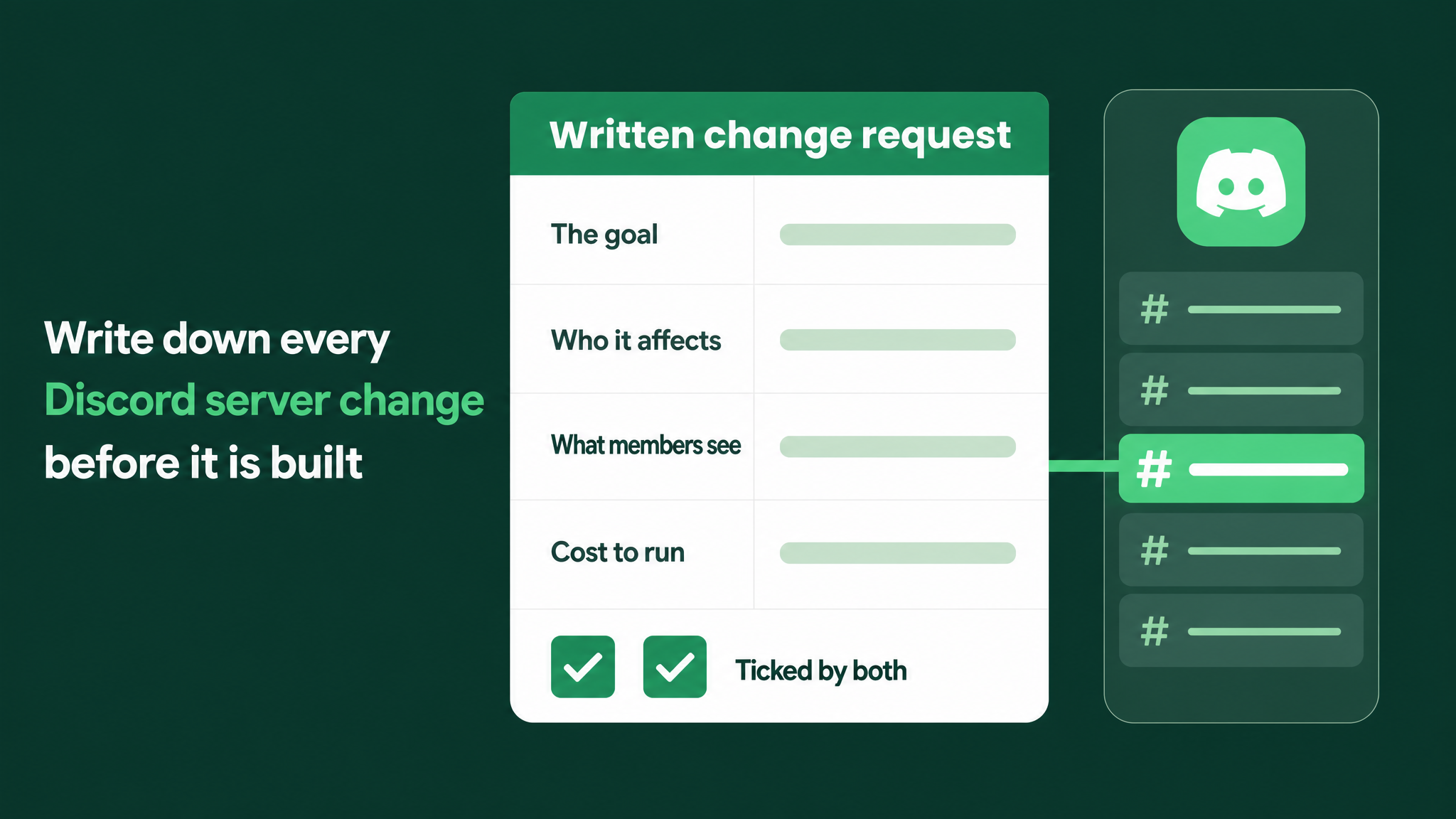
Approval means a written sentence with two ticks
I work to one rule on a live server. No change is approved until it exists as one plain sentence stating the goal, with a line saying what members will see differently, and both the requester and the builder have ticked it.
A request typed into chat does not meet that rule. Neither does a request said out loud. They are where a change starts, and the written sentence is where it gets agreed.
The form that holds the sentence is a change card with five fields. Everything below explains why the usual way of approving changes fails, then gives the card, the two questions to ask, the proof to collect and the one exception.
The case against the quick yes
The common practice looks harmless. An owner sends Can we add verification for new members? and the builder replies On it. A few hours later the server has changed.
The trouble is that the two people agreed to a word and never to a result. I see the same four gaps each time a change gets redone.
| The gap | How it shows up |
|---|---|
| A feature was named and the goal was left out | "Verification" could be there to keep spam accounts out, or to make customers confirm a purchase. Each needs a different build. |
| One word carried two meanings | The owner used the word the way the business uses it. The builder read it the way Discord uses it. |
| The member group was never stated | The builder had to guess between every member, new members and customers only. |
| The yes was free | "Sounds good" takes a moment and nobody reads closely until the change is already live. |
The owner then opens the server and finds something they did not ask for, at least as they understood their own request. The builder has delivered exactly what was typed and now has to do it again. Both feel let down, and both are right about what they were told.
Members watch all of it. The first screens they meet change, then change again a day or two later. From their side the server looks unmanaged, and anyone who joined between the two versions learned a layout that no longer exists.
Speed is the usual defence of chat approval. That defence only counts the time to the first build. Once the rebuild, the second announcement and the confused members are added, the quick yes was the slow route.
Five fields on one card
The card is small on purpose. If it takes longer than a few minutes, people go back to chat.
Field one: the goal. One sentence saying what should be true when the change is live. Example: New customers reach the customer channels only after they confirm their purchase. A goal that needs two sentences is usually two changes, so write two cards.
Field two: who it affects. Name the member group. It might be everyone, new members only, or a specific group such as customers or moderators. Add "nobody else" when that is true, because it tells the builder what must stay untouched.
Field three: what they will see. Two lines, before and after, from the member's side of the screen. Use the words a member would use and keep permission settings out of it.
Field four: possible, and what it costs to run. The builder fills this in. It records whether Discord and the bots already in the server can do the job, and whether it needs a paid bot plan or custom work.
Field five: two ticks. One box for the requester, one for the builder. The requester's tick says "this is what I meant". The builder's tick says "this is what I will build, and it can be built".
Laid out as a blank form, it looks like this:
CHANGE CARD
------------------------------------------------------------
Goal (one sentence):

Who it affects:

What they will see
  Before:
  After:

Possible?            yes / no / closest option:
Cost to run:         free / monthly plan / custom build

[ ] Requester ticked        [ ] Builder ticked
------------------------------------------------------------
Proof attached after build: screenshot or recording per group
Two ground rules go with it. Either person may decline to tick and rewrite the sentence, and that rewrite is welcome because it happened on paper instead of on the live server. And one person never ticks both boxes.
Goal before steps, possibility before price
People like to start with the how. Builders begin describing settings. Owners begin describing something they saw in another server. Hold both back until the goal sentence is agreed, because the goal decides which steps are even relevant.
With the goal written, two questions follow, and their order matters.
First: is it possible? Discord and every bot have limits. One channel has one name and one message history, so it cannot appear as two different channels to two groups. When the answer is no, the builder says so straight away and proposes the nearest thing that can be done.
Second: is it worth the cost? Plenty of changes are free. Others depend on a paid bot plan with a monthly bill, or on custom work that somebody must keep running. The cost goes on the card in plain terms, and the owner makes the decision knowing it.
Asking about cost first wastes time on features that turn out to be impossible. Asking about possibility first, with the goal already written, has another benefit: when the requested feature cannot be built, the goal is still on the card, and the builder can suggest a different route to it.
A shared glossary for words that split
A handful of words mean one thing inside the business and another inside Discord. Three examples:
onboardingThe owner often means a new member's whole first week. The builder often hears Discord's Onboarding feature, which is the set of questions shown at the moment of joining.verifiedThe owner often means a member who has proved they are a customer. The builder often hears a member who pressed a button, or one who passed Discord's own account checks.profileThe owner often means a member's record in the company's product. The builder often hears the member's Discord profile, or a card that a bot posts about them.
Write each of these down once, with the meaning the team has chosen, and keep the list beside the cards. A new word joins the list the first time it causes a misreading. Cards then use glossary words only in their listed meaning.
The glossary is short and stays short. The same few words cause the trouble again and again, so a page is usually enough.
One release a week for anything members see
Ticked cards do not have to be built the minute they are ticked. For changes members can see, and above all for the entry flow that begins in #start-here, group them and release them together in one weekly slot.
- Cards ticked during the week wait in a queue.
- Before the release, read the queued cards next to each other and look for two that touch the same channel or the same role.
- Build them together and post one short announcement that covers the lot.
Members experience a single update. Changes they cannot see, such as a staff channel or a logging setting, are exempt and can go live once ticked.
Close the card with proof
"Done" from the builder does not close a card. Proof does. Proof is a screenshot or a short screen recording taken from a test account, with one piece of proof for every member group named in field two.
A test account is an extra Discord account that holds no staff roles. It matters because owners and builders usually carry roles that show every channel, so their own view of the server tells them little about a member's view. Discord's View Server As Role option is a fast way to preview which channels a role can see. It skips the join flow, so it works as a first look and the test account remains the proof.
| Check | What to capture |
|---|---|
| Each affected group | The test account joining fresh, or holding that group's role, and seeing the "after" line from field three |
| One unaffected group | The test account seeing exactly what it saw before |
| Sign off | The proof attached to the card, and the requester confirming it matches |
When the proof matches the written lines, the card closes. When it does not, the builder corrects the build. Either way, the comparison is made against a sentence both people ticked, which leaves far less room for argument than two recollections of a chat message.
Keep a private log of every card
Every closed card is added to a change log that members never see. It sits in a staff channel or a shared document, newest entry at the top, and each entry carries four things: the date, the goal sentence, the two people who ticked it and a link to the proof.
Discord already has an Audit Log, and it is worth knowing what it does and does not cover. It shows who changed which setting. It says nothing about the reason, and it does not keep its entries indefinitely. The change log exists to hold the reason.
The payoff comes later. Someone new takes over moderation, wonders why the customer channels need a confirmation step, and finds the card in a minute. A server with no log gets its sensible decisions reversed by people who had no way of knowing they were decisions.
Emergencies skip the card and get one afterwards
One category of change is allowed to go ahead without two ticks: a fix for something broken that stops members from joining or from getting help.
Does not count: a typo, a new idea, a channel rename, or anything that merely looks better.
Fix an emergency at once. The same day, write its card after the fact: the goal, who was affected, what they saw while it was broken and what they see now, plus both ticks. It goes into the log like any other card.
Keep the definition written down and narrow. If "urgent" becomes a way around the card, the team is back to approving changes in chat before long.
The wider system around this step
Change approval is a single step within community operations. The rest of that system is documentation, role and channel architecture, onboarding, automation coverage and reporting. The card does not build any of those layers. It governs how each one gets altered once it exists, so that two people share one understanding before a setting is touched.
To begin, take the very next request and put it on a card. One sentence for the goal, the member group, the before and after, the cost, and two ticks.
A change that two people have read and ticked rarely needs building a second time. More at danieljeong.org.
Want a properly managed community?
Get Your Free Analysis →